Streaming Response
NFrom Nibware - Original components, crafted in-house.
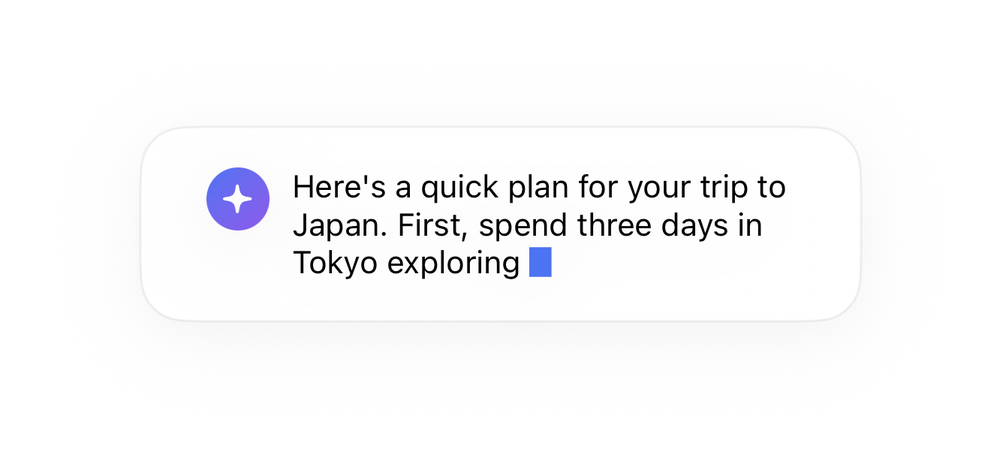
A streaming response with a blinking cursor.
AI · 33 lines · SwiftUI · iOS 17+
The actual source
StreamingResponse.swift
import SwiftUI

let aiBlue = Color(red: 0.30, green: 0.45, blue: 0.95)

let aiViolet = Color(red: 0.55, green: 0.35, blue: 0.92)

extension View {
    func aiCard(_ w: CGFloat, _ pad: CGFloat = 18) -> some View {
        self.padding(pad).frame(width: w)
            .background(Color(.systemBackground), in: RoundedRectangle(cornerRadius: 20, style: .continuous))
            .overlay(RoundedRectangle(cornerRadius: 20, style: .continuous).stroke(Color.primary.opacity(0.06), lineWidth: 1))
.shadow(color: .black.opacity(0.05), radius: 14, x: 0, y: 6)What it needs
Self-contained SwiftUI - system materials, SF Symbols, no external dependencies. Everything it needs - tokens, sub-views, models - is carried in the copy-paste source above.