Map Card
NFrom Nibware - Original components, crafted in-house.
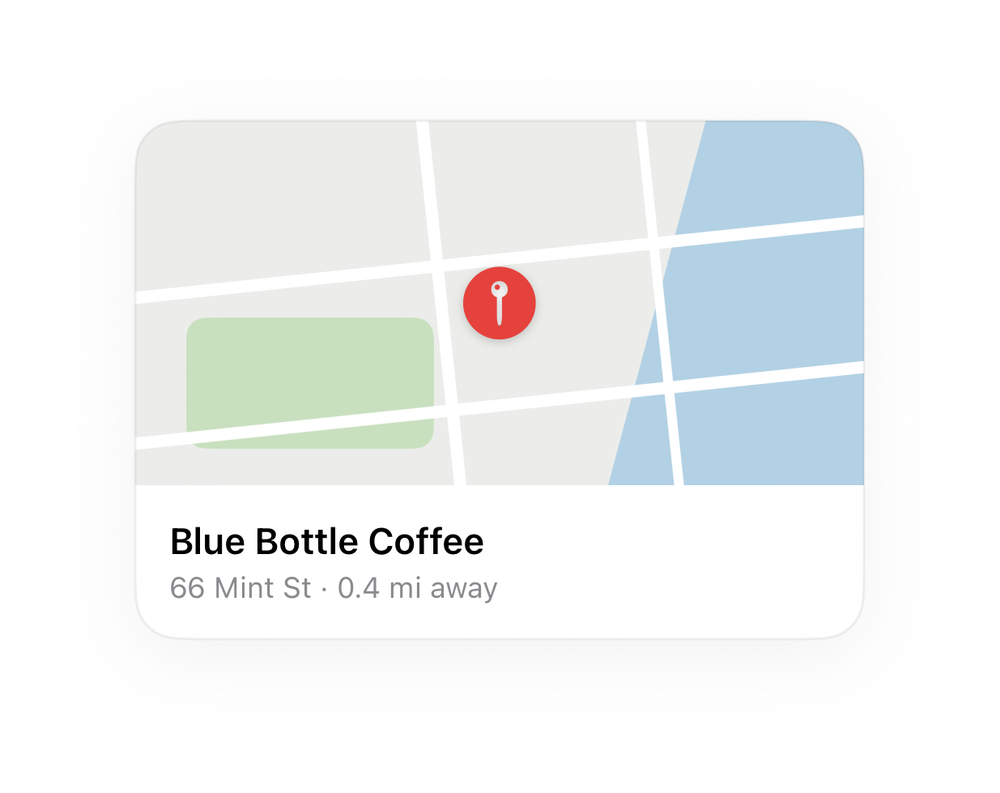
A map thumbnail card with a marker and place name.
Maps · 45 lines · SwiftUI · iOS 17+
The actual source
MapCard.swift
import SwiftUI

let mpRed = Color(red: 0.90, green: 0.26, blue: 0.24)

func mpMap(_ w: CGFloat, _ h: CGFloat, _ radius: CGFloat = 16) -> some View {
    ZStack {
        Color(red: 0.925, green: 0.930, blue: 0.918)
        Rectangle().fill(Color(red: 0.70, green: 0.82, blue: 0.90)).frame(width: w * 0.55, height: h * 2.2).rotationEffect(.degrees(15)).offset(x: w * 0.5)
        RoundedRectangle(cornerRadius: 8).fill(Color(red: 0.79, green: 0.88, blue: 0.75)).frame(width: w * 0.34, height: h * 0.36).offset(x: -w * 0.26, y: h * 0.22)
        Capsule().fill(.white).frame(width: w * 1.5, height: 5).rotationEffect(.degrees(-6)).offset(y: -h * 0.12)
        Capsule().fill(.white).frame(width: w * 1.5, height: 5).rotationEffect(.degrees(-6)).offset(y: h * 0.28)
Capsule().fill(.white).frame(width: h * 1.8, height: 5).rotationEffect(.degrees(84)).offset(x: -w * 0.08)What it needs
Self-contained SwiftUI - system materials, SF Symbols, no external dependencies. Everything it needs - tokens, sub-views, models - is carried in the copy-paste source above.